Introduction
Accessing an individual learner’s KPSEA (Kenya Primary School Education Assessment) or KILEA (Kenya Intermediate Level Education Assessment) performance report has been streamlined by the Kenya National Examinations Council (KNEC). With the digital platform, schools can easily download learners’ performance reports via the official KNEC portal. This guide outlines the step-by-step process to ensure a seamless experience.
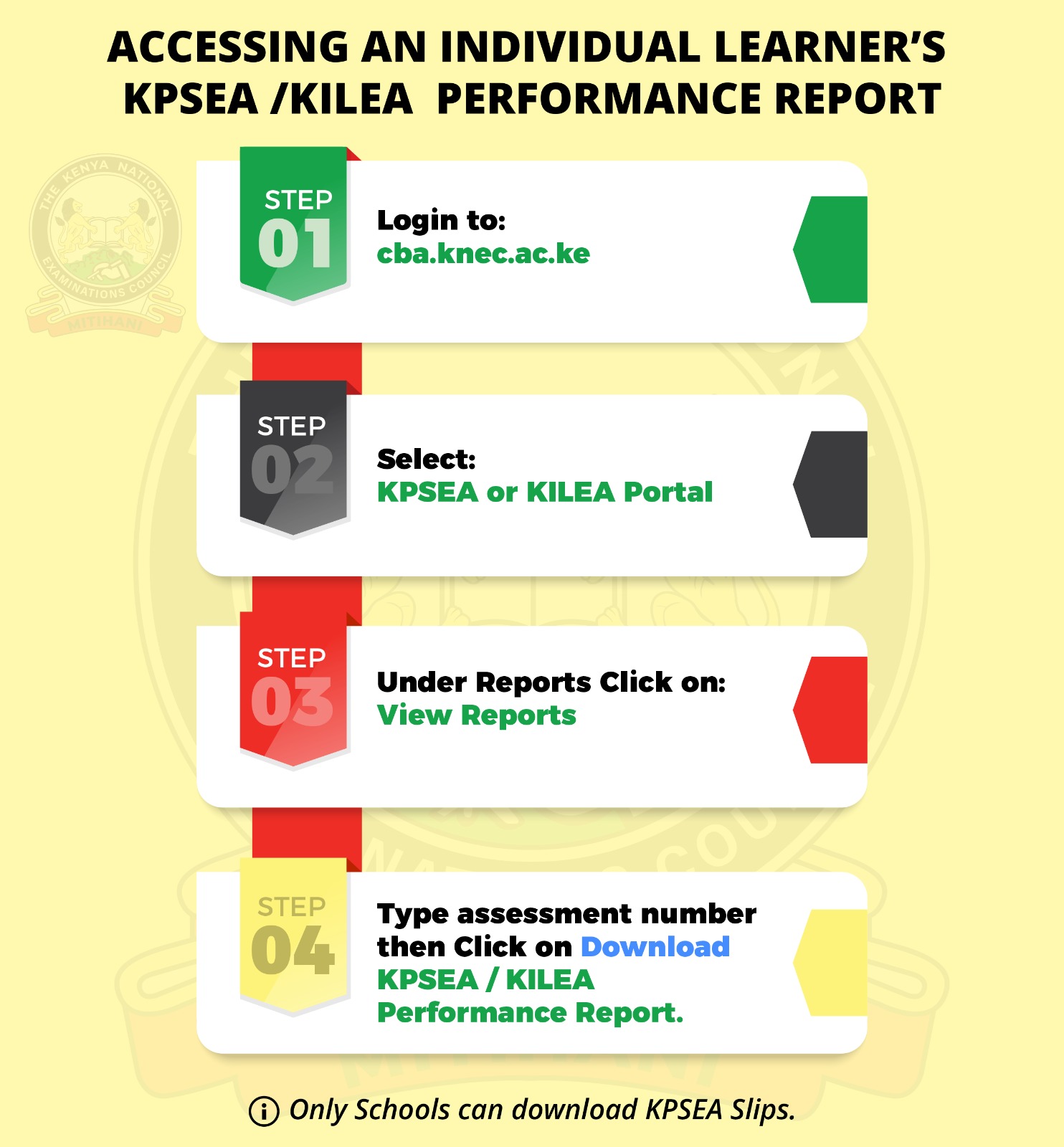
Step 1: Login to the KNEC Portal
- Visit cba.knec.ac.ke
- Ensure you have the correct login credentials provided by the school administration.
Step 2: Select KPSEA or KILEA Portal
- Once logged in, choose the relevant portal depending on whether you are accessing KPSEA or KILEA results.
- Double-check your selection to avoid errors.
Step 3: Access Reports Section
- Navigate to the Reports section.
- Click on “View Reports” to proceed to the learner’s report page.
Step 4: Download the Performance Report
- Enter the Assessment Number of the learner.
- Click on “Download KPSEA/KILEA Performance Report” to save the document.
Note: Only schools have the authorization to download these performance slips.
Key Benefits of Using the KNEC Portal
- Convenience: Accessible from anywhere with an internet connection.
- Efficiency: Quick and organized report retrieval.
- Accuracy: Eliminates manual errors in reporting.
SEO Keywords:
- KPSEA Results Portal
- KILEA Performance Report Download
- Access KPSEA Results Online
- KNEC KPSEA Portal
- Download KPSEA/KILEA Report
Conclusion
Accessing KPSEA/KILEA results is now faster and more efficient through the KNEC portal. Schools must ensure they follow the outlined steps correctly for accurate report downloads. Stay updated with KNEC announcements for seamless access to learner performance reports.