
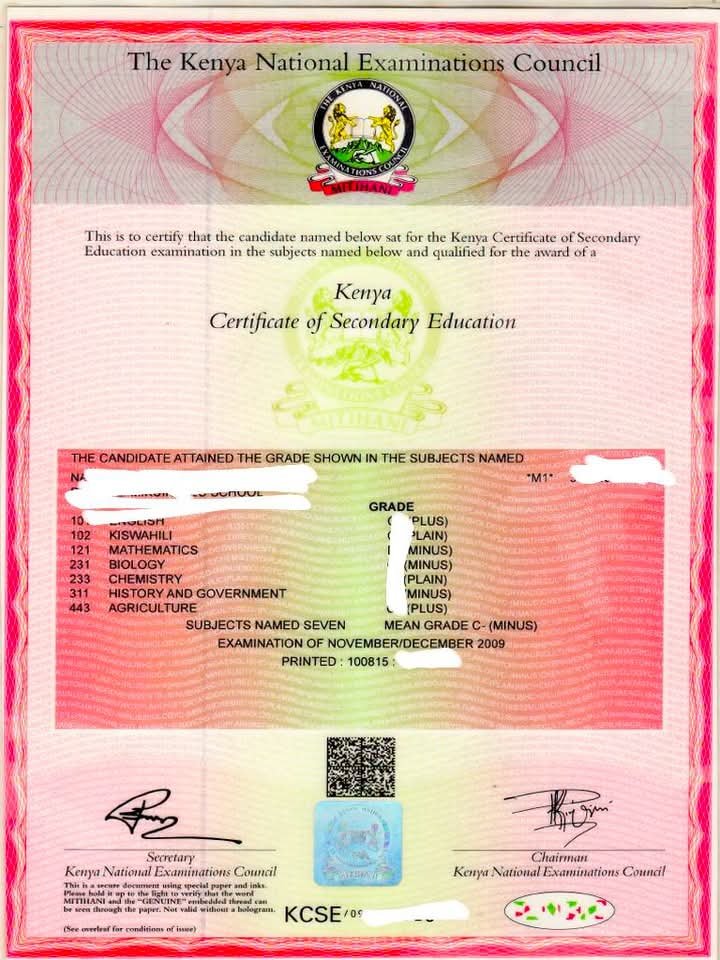
The Kenya National Examinations Council (KNEC) has introduced a digital certificate system that allows former KCSE candidates to generate and download their KCSE e-certificates online. The new service is designed to make it easier for Kenyans to access their examination certificates without the lengthy process of requesting replacements or physical verification.
Whether you completed your Kenya Certificate of Secondary Education (KCSE) examination recently or several years ago, you can now obtain a secure digital version of your certificate through the official KNEC Certificate Portal. The e-certificate carries a blockchain verification hash, making it easy for employers, universities and government agencies to verify its authenticity.
If you are wondering how to download your KCSE e-certificate, this comprehensive guide explains every step from account registration to downloading the final PDF.
Why the KCSE E-Certificate Matters
The introduction of digital certificates marks a significant milestone in Kenya’s education sector. Instead of relying solely on physical certificates that can be lost, damaged or delayed, candidates now have access to secure electronic certificates that can be downloaded whenever needed.
The digital certificate offers several benefits, including:
- Quick online access
- Secure blockchain verification
- Easier job applications
- Faster university admissions
- Reduced paperwork
- Protection against certificate fraud
The service currently supports KCSE and KCPE certificates from 1989 to the present.
Step 1: Register for a KNEC Certificate Portal Account
Before downloading your certificate, you must first create an account on the KNEC Certificate Portal.
On the portal homepage, click the Sign Up or Register button.
Choose Applicant (Student/Alumni) as your account category.
You will then be required to provide:
- Your full name
- A valid email address
After entering your email address, click Send OTP.
A six-digit One-Time Password (OTP) will be sent to your email inbox. Enter this code on the portal to verify your email address and complete the registration process.
Once verified, your account will be created successfully.
Step 2: Log In to Your Account
After registering, return to the homepage and click Login.
Enter your registered email address.
The system will again send an OTP to your email.
Retrieve the code from your inbox and enter it into the portal.
After successful verification, you will gain access to your personal dashboard where all certificate services are available.
Step 3: Complete Your Personal Profile
Before generating your e-certificate, you must complete your personal profile.
The portal requires accurate personal information to verify your identity.
You will need to provide:
- Citizenship (Kenya or Other Country)
- Full name exactly as it appears on your National ID
- Email address
- Date of birth
- Phone number
- National ID number for Kenyan citizens
- Optional passport-size profile photo
Take time to review every detail before submitting.
Any mismatch between your profile information and official government records may prevent successful verification.
Identity Verification Through IPRS
Once your profile has been submitted, the system automatically checks your identity using the Integrated Population Registration System (IPRS).
The verification confirms your:
- Name
- Date of birth
- National ID details
In most cases, the verification process takes only a few seconds.
If your details match the government database, your account is approved automatically.
Step 4: Generate Your KCSE E-Certificate
After your profile has been verified, proceed to your dashboard.
Click Generate E-Certificate.
The system will request three important examination details:
- Examination Index Number
- Examination Type (KCSE or KCPE)
- Examination Year
The portal currently supports certificates issued from 1989 onwards.
Since your personal profile has already been verified, the following information will automatically appear:
- Full name
- Date of birth
- National ID number
- Phone number
This minimizes manual entry and reduces errors.
Step 5: Automatic Certificate Verification
Before allowing payment, KNEC performs two important verification checks.
Identity Verification
The first verification compares your information with IPRS records to ensure that your identity is genuine.
Certificate Verification
The second verification checks the KNEC database to confirm that:
- Your examination exists
- Your index number is valid
- The examination year is correct
- The certificate matches your personal details
Only applicants who pass both verification stages can proceed to payment.
If either verification fails, you may need to review your information or contact KNEC for assistance.
Step 6: Pay the Certificate Generation Fee
After successful verification, the portal redirects you to the eCitizen payment system.
According to the user guide, the charges are:
- Certificate Generation Fee – KSh 1,200
- VAT – KSh 250
- eCitizen Service Fee – KSh 200
Total Payable: KSh 1,450
Applicants can make payment using:
- M-Pesa STK Push
- Other payment methods available on eCitizen
Once payment has been made, confirmation usually takes between 10 and 30 seconds.
After confirmation, your certificate becomes available for download immediately.
Step 7: Download Your KCSE Certificate
Once payment is confirmed, return to your dashboard.
Click Download Certificate.
The certificate opens automatically as a PDF document in a new browser tab.
You can then:
- Save the PDF on your device
- Print a hard copy
- Share it electronically whenever required
The certificate includes a unique blockchain verification hash that allows institutions and employers to verify its authenticity instantly.
How Long Is the Certificate Available?
One of the biggest advantages of the new system is that certificates remain available online.
Once generated, your KCSE e-certificate stays under the My Certificates section of your account for six months from the date of issue.
During this period, you can download it multiple times without repeating the application process.
Common Reasons Why Verification May Fail
Some applicants may encounter verification errors.
Common causes include:
- Incorrect examination index number
- Wrong examination year
- Name mismatch
- Incorrect date of birth
- National ID details that differ from IPRS records
- Typographical errors
Double-check all information before submitting your application.
Benefits of the KCSE E-Certificate
The introduction of digital certificates provides numerous advantages.
These include:
- Reduced risk of losing important academic documents.
- Faster access to examination certificates.
- Improved security through blockchain verification.
- Convenient online access from anywhere.
- Easier application for jobs and higher education.
- Reduced processing time.
- Improved efficiency in certificate verification.
The system also helps institutions detect forged certificates, promoting integrity within Kenya’s education sector.
Frequently Asked Questions
Can I apply if I completed KCSE many years ago?
Yes. The portal supports KCSE and KCPE certificates from 1989 onwards.
Is the certificate legally valid?
Yes. The e-certificate contains blockchain verification features that confirm its authenticity.
How much does the service cost?
The total fee is KSh 1,450, which includes certificate generation, VAT and the eCitizen service charge.
How long does payment confirmation take?
Most payments are confirmed within 10 to 30 seconds.
Can I download the certificate more than once?
Yes. Once generated, it remains available under My Certificates for six months.
What if my verification fails?
Review all your personal and examination details carefully. If the problem persists, contact KNEC for assistance.
Final Thoughts
The launch of the KCSE e-certificate service represents a major step towards digital transformation in Kenya’s education sector. The online platform eliminates many of the challenges associated with accessing academic certificates by providing a secure, convenient and efficient solution.
From account registration and identity verification to payment and certificate download, the process has been designed to be straightforward for applicants. The inclusion of blockchain technology further enhances the credibility and security of the certificates, making them easier for employers, universities and other institutions to verify.
For anyone who sat KCSE or KCPE examinations from 1989 onwards, obtaining a digital certificate has never been easier. By following the simple steps outlined above, applicants can generate and download their authenticated e-certificates within minutes, provided all verification requirements are successfully met.


















