Master NSSF registration, get your NSSF number, navigate the NSSF portal, and access self-service tools with our step-by-step guide.
Introduction: Why NSSF Registration is Essential
The National Social Security Fund (NSSF) is a crucial institution mandated to secure the financial well-being of Kenyan workers. Whether you’re formally employed, self-employed, or an employer, understanding how to register for NSSF, obtain your NSSF number, and use the NSSF portal is essential.
This guide breaks down the entire process, covering NSSF registration requirements, online registration, self-service tools, and troubleshooting common issues. By the end, you’ll have a clear roadmap for effectively managing your NSSF account and ensuring compliance with Kenya’s social security laws.
1. What is NSSF and Why Should You Register?
The National Social Security Fund (NSSF) is a government agency tasked with collecting monthly contributions from employees and employers to ensure social security for Kenyan workers.
1.1 Why You Need to Register with NSSF
- Financial Security: Secure pension benefits after retirement.
- Legal Obligation: Compliance with Kenya’s labor laws.
- Social Protection: Access to benefits like invalidity, survivor benefits, and funeral grants.
1.2 Who Should Register for NSSF?
- Employees: All salaried employees in Kenya.
- Self-Employed Individuals: Those working independently or running businesses.
- Employers: Required to register their workforce with NSSF.
👉 Learn More on the Official NSSF Portal
2. NSSF Registration Requirements
Before registering for NSSF, ensure you have the following documents based on your category:
2.1 Requirements for Employees
- National Identification Card (ID) or Passport.
- KRA PIN Certificate.
- Recent Passport-sized Photo.
- Employer’s NSSF Number (if registering through an employer).
2.2 Requirements for Self-Employed Individuals
- National Identification Card (ID) or Passport.
- KRA PIN Certificate.
- Recent Passport-sized Photo.
- Business Registration Certificate (if applicable).
2.3 Requirements for Employers
- Certificate of Incorporation or Business Registration Certificate.
- KRA PIN Certificate.
- Company/Organization Details (e.g., physical address, contact information).
- List of Employees with their ID Numbers and KRA PINs.
👉 Download NSSF Registration Forms Here
3. How to Register for NSSF
The NSSF registration process can be completed online via the NSSF portal or manually at a physical NSSF branch.
3.1 NSSF Online Registration Process
- Visit the NSSF Portal.
- Click on “Member Registration.”
- Choose your category: Employee, Self-Employed, or Employer.
- Fill in the registration form with accurate details.
- Upload the required documents.
- Submit your application.
- You’ll receive an NSSF number via email or SMS.
3.2 NSSF Offline Registration Process
- Visit the nearest NSSF branch with the required documents.
- Fill out the provided registration form.
- Submit your documents for verification.
- Upon successful registration, you’ll receive your NSSF number.
👉 Find the Nearest NSSF Branch
4. How to Get Your NSSF Number
Your NSSF number serves as your unique identifier for accessing services.
4.1 Steps to Get Your NSSF Number Online
- Go to the NSSF Portal.
- Click on “Member Self-Service.”
- Select “Recover NSSF Number.”
- Enter your National ID and follow the instructions.
- Your NSSF number will be displayed or sent to your registered email.
4.2 Steps to Retrieve Your NSSF Number Offline
- Visit an NSSF office with your identification documents.
- Request assistance from an officer.
- Provide necessary details for verification.
- Receive your NSSF number.
5. Navigating the NSSF Portal
The NSSF portal is a user-friendly platform designed to offer members easy access to their accounts and services.
5.1 Key Features of the NSSF Portal
- Member Registration: Online registration for employees, self-employed, and employers.
- Contribution Tracking: Monitor and verify monthly contributions.
- Account Management: Update personal details and beneficiary information.
- Statement Access: Download and print contribution statements.
5.2 How to Access the NSSF Portal
- Visit the NSSF Portal.
- Click on “Member Self-Service.”
- Log in using your NSSF number and password.
- Verify your details and access the dashboard.
6. NSSF Self-Service Tools: Manage Your Account Easily
The NSSF self-service tools allow members to access services remotely.
6.1 Services Available on NSSF Self-Service
- Check contribution statements.
- Update personal information.
- Recover lost NSSF numbers.
- Track pending contributions.
6.2 How to Use NSSF Self-Service
- Log in to the NSSF portal.
- Navigate to “Self-Service Tools.”
- Choose the service you need.
- Follow the instructions provided.
6.3 Benefits of NSSF Self-Service
- 24/7 accessibility.
- Reduced need for physical visits to NSSF branches.
- Quick updates and document downloads.
👉 Access NSSF Self–Service Here
7. Common NSSF Portal Issues and Solutions
7.1 Forgotten Password
- Click on “Forgot Password” on the portal login page.
- Enter your email or NSSF number.
- Follow the reset instructions.
7.2 Locked Account
- Contact NSSF support for assistance.
- Provide identification details for verification.
7.3 Missing Contributions
- Log in to your account and check your contribution statements.
- Report discrepancies via the NSSF portal or at a branch.
Contact NSSF Support
You can contact NSSF Kenya customer support in several ways:
Phone: Call the toll-free number at 0800 2212744, or the main line at (020) 2729911 or 2710552
Cell phone: Call 0709 583 000 or 0730 882 000
Fax: Fax (020) 2727882, 2722013, or 2711615Email:
Email info@nssfkenya.co.ke
WhatsApp: Contact the NSSF WhatsApp chatbot
Website: Visit the NSSF website at www.nssf.or.ke
Office of the Ombudsman: Call 020-2270000 or 020-2303000.
You can also apply for benefits in person at the NSSF office closest to
8. Frequently Asked Questions (FAQs)
Q1: How do I reset my NSSF portal password?
A: Click “Forgot Password” and follow the reset instructions.
Q2: Can I register for NSSF without visiting a branch?
A: Yes, registration can be done online via the NSSF Portal.
Q3: How do I download my NSSF contribution statement?
A: Log in to the portal, navigate to “Self-Service Tools,” and download your statement.
9. Conclusion: Secure Your Financial Future with NSSF
Registering with NSSF, obtaining your NSSF number, and utilizing the NSSF portal are crucial steps for every worker in Kenya. The self-service tools and online platforms offer convenience, transparency, and security for managing your account.
Take control of your financial future today by registering with NSSF and ensuring compliance with national regulations.
👉 Start Your NSSF Registration Now
10. Call-to-Action (CTA)
- “Register on the NSSF Portal Today and Secure Your Future!”
- “Access NSSF Self-Service for Quick and Easy Account Management!”
12. USSD Code.
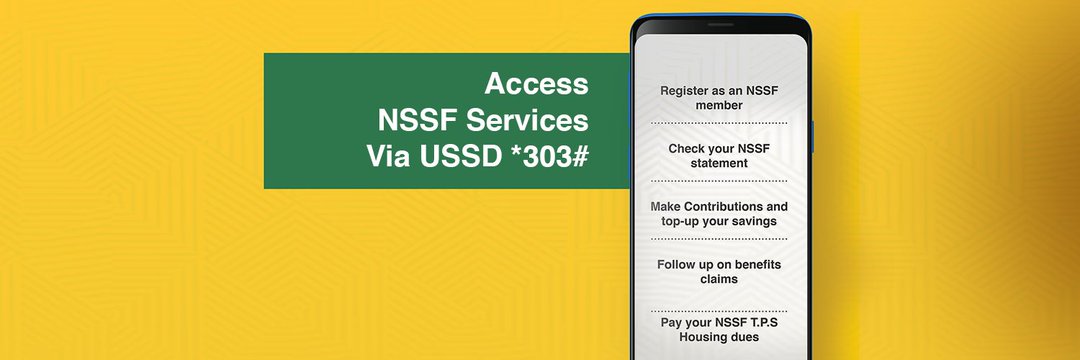
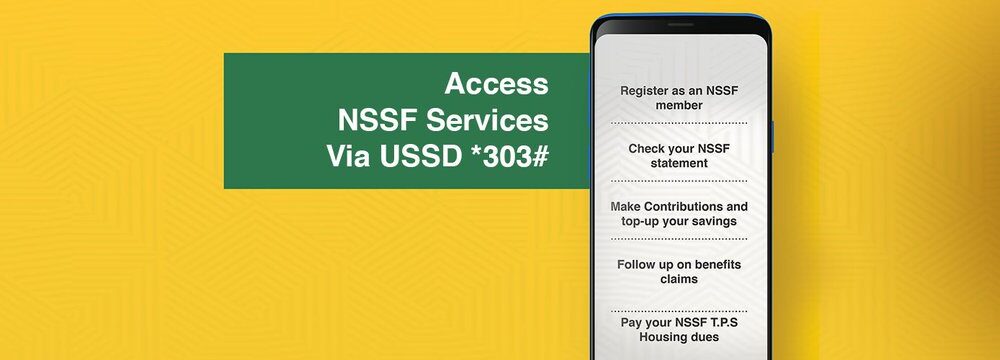
you can also access all NSSF servis by using USSD code *303# write from your phone.
By following this guide, you’re now equipped with all the information needed for a smooth NSSF experience. Save, share, and stay informed!