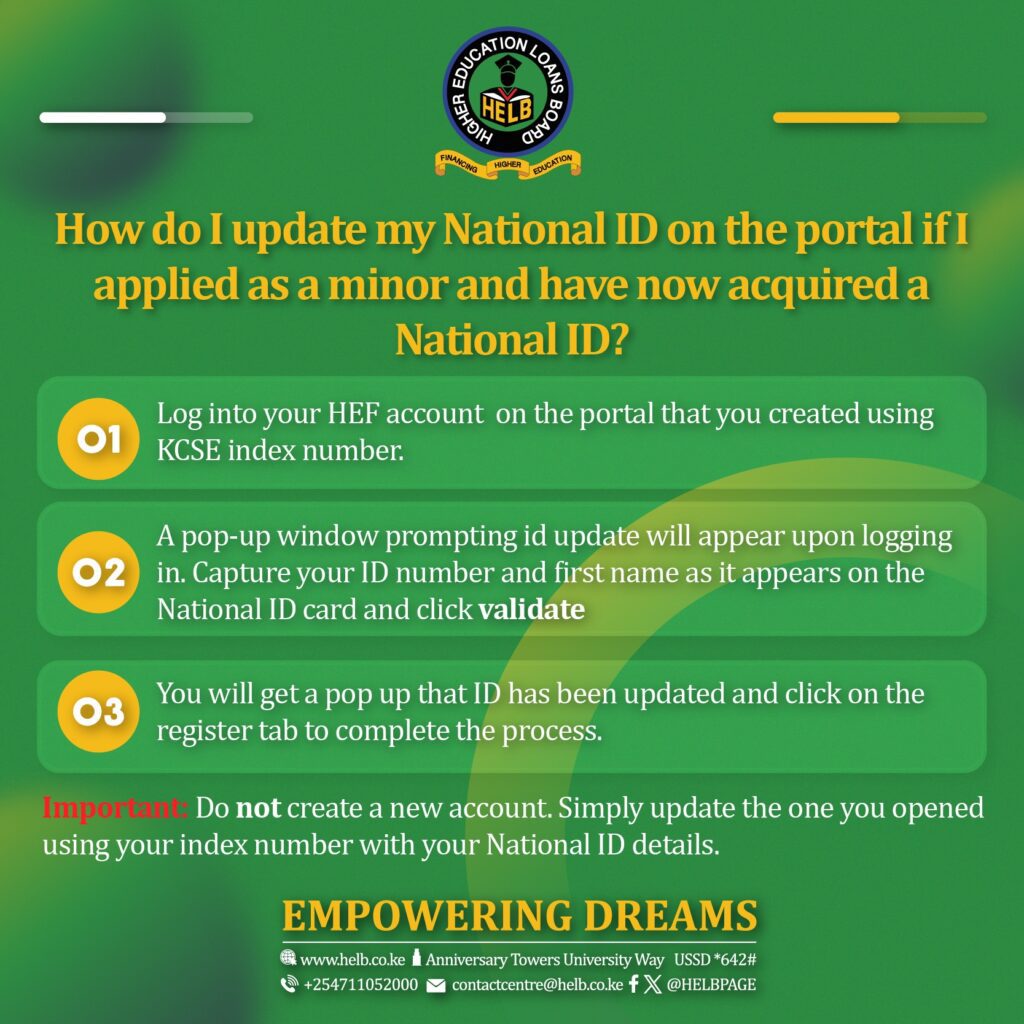
If you applied for your Higher Education Loans Board (HELB) account as a minor using your KCSE index number and have now received your National ID, you don’t need to create a new account. HELB has made it simple to update your details directly on the portal.
To get started, log into your Higher Education Financing (HEF) account using the same credentials you created with your KCSE index number. Once logged in, a pop-up will appear prompting you to update your ID. Enter your National ID number and your first name exactly as they appear on your ID card, then click validate.
A confirmation pop-up will notify you that your ID has been updated. Simply click on the register tab to finalize the process.
Important: Creating a new account can cause delays and complications. Always update your existing account to keep your loan applications and disbursements on track.