To pay for your GOtv subscription, you have a few options:
- Directly at the GOtv Website: Visit the GOtv website and log into your account. Look for the “Shop” or “Pay Subscription” section. Follow the prompts to select your package, enter your payment details, and complete the transaction.
- GOtv Mobile App: Download the GOtv mobile app from your device’s app store. Log in to your account, select the “Pay Subscription” option, choose your desired package, enter your payment information, and proceed with the payment.
- Mobile Money: Depending on the country you are in, GOtv might provide mobile money payment options. Check with your local GOtv service provider and follow their instructions on how to pay using mobile money services available in your region.
To pay for your GOtv subscription in Kenya, you have several options:
- GOtv Website:
- Visit the GOtv Kenya website at www.gotvafrica.com.
- Click on the “Pay” tab and select “Kenya.”
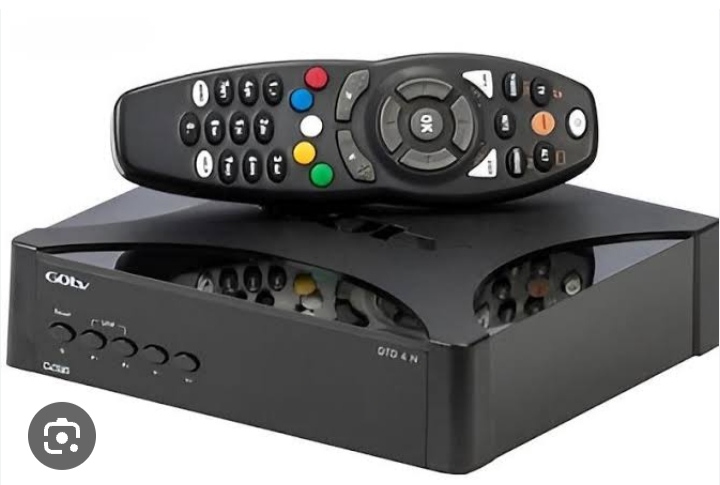
- Enter your IUC number (found on your GOtv decoder) and click on “Next.”
- Choose your preferred package and select “Next.”
- Enter your payment details (M-Pesa or Airtel Money) and complete the payment.
- M-Pesa:
- Go to your M-Pesa menu on your mobile phone.
- Select “Lipa na M-Pesa” and then “Pay Bill.”
- Enter the GOtv Business Number: 423655.
- Enter your IUC number as the account number.
- Enter the amount you want to pay.
- Enter your M-Pesa PIN and then send the payment.
- You will receive a confirmation message once the payment is successful.
- Airtel Money:
- Open your Airtel Money menu on your mobile phone.
- Select “Make Payments” and then “Pay Bill.”
- Enter the GOtv Business Name: GOTV.
- Enter your IUC number as the reference.
- Enter the amount you want to pay.
- Enter your Airtel Money PIN and confirm the payment.
- You will receive a confirmation message once the payment is successful.
- Equity Bank:
- Visit any Equity Bank branch.
- Fill out a NEFT/Mabati account transfer form.
- Select “GOtv” as the beneficiary bank.
- Provide your IUC number as the account number.
- Fill in the subscription amount and make the payment.
- Keep the payment receipt as proof of payment.
Remember to ensure that your GOtv account is active and note your IUC number before making any payment.
- Bank Payment: You can also make payments for your GOtv subscription at most banks. Visit a bank branch, fill out a teller with your account details, package, and the amount to be paid. Submit the teller to the bank teller, pay the necessary fees, and keep the receipt as proof of payment.
Remember to have your GOtv account number or smartcard number handy when making any payment, as it helps identify your subscription account.