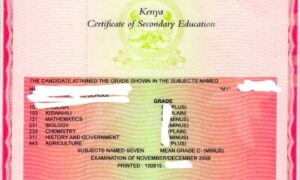
Accessing your KCSE results has never been easier, thanks to the availability of online and SMS platforms provided by the Kenya National Examinations Council (KNEC). Whether you prefer using a browser or a quick text, here’s how to check your results hassle-free.
Online Method: Chrome Browser
For those with internet access, the KNEC portal is the most reliable and efficient option. Follow these steps to view your results:
- Open Chrome/Opera: Ensure your device is connected to the internet and launch the Chrome browser.
- Visit the Official Website: Navigate to https://results.knec.ac.ke.
- Locate the Results Tab: On the homepage, click on the “Results” section and select “KCSE Results.”
- Input Details: Enter your Index Number and Examination Year, then submit.
- View and Download: Once the results appear, you can download or print them for personal records.
Troubleshooting Common Issues
In case you experience difficulties:
- Confirm you’ve entered the correct details, including the Index Number and Examination Year.
- Ensure you have sufficient internet or airtime for the chosen method.
- Contact KNEC support via their official website or helpline for assistance.
Why Use Chrome Browser?
Chrome is widely recognized for its speed and compatibility with the KNEC portal, making it the ideal choice for accessing results. Its user-friendly interface ensures a smooth experience even for first-time users.
Stay updated with the latest educational news by following our site for more tips and updates!